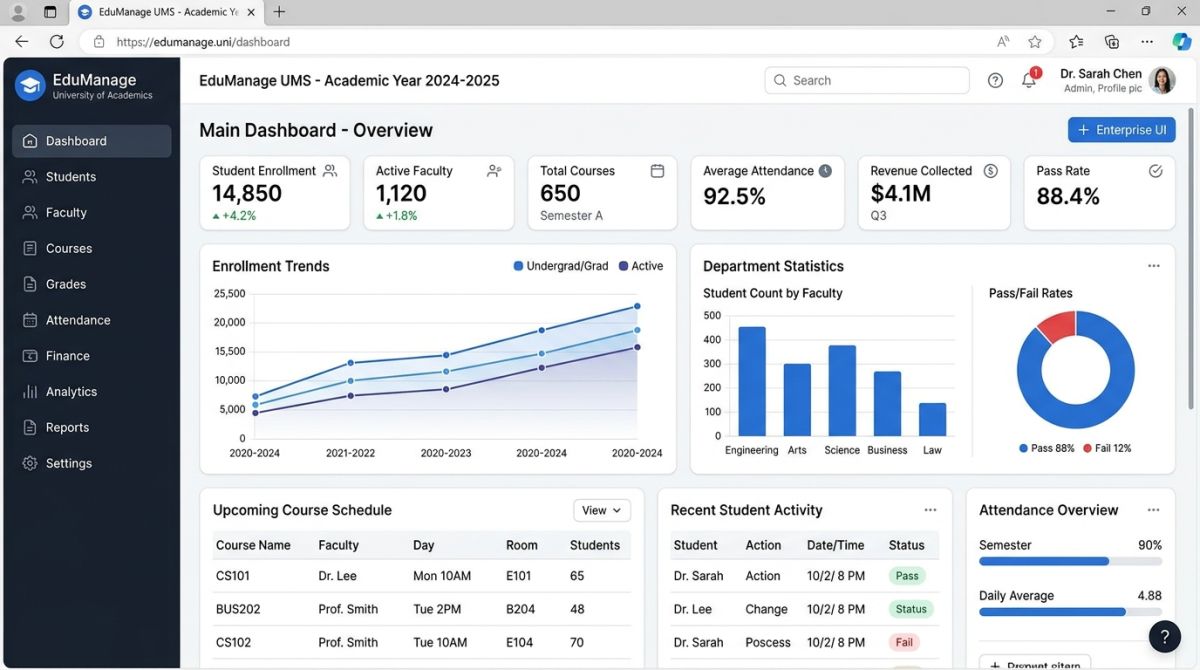
The 10 modules a university management system needs, from admissions and timetables to exams, fee collection and transcripts, plus what to check.
Most universities don't run on one system. Admissions has a spreadsheet, the exam department has another database, accounts has its own software, and a student's complete record can only be pieced together by walking between offices. A university management system (UMS) brings these together, so each record is entered once and used everywhere.
Here are the ten modules that make a UMS complete, and what separates a good version of each from a weak one.
1. Online admissions
Applicants should be able to apply, upload documents and track their status online, without visiting the campus. Look for merit list calculation using your own formula, quota handling, and offer letter generation. Most importantly, an accepted applicant should become a student record automatically, with no retyping.
2. Student profiles and records
This is the foundation of the system: one record per student from admission to graduation, including personal details, program, batch, documents and status changes such as freezing a semester. Every other module reads from it, so errors here spread everywhere. Prevent duplicate students by checking CNIC or B-Form numbers.
3. Programs, courses and curriculum
A university offers changing programs with credit hours, prerequisites and electives. The key requirement is curriculum versioning: students who joined under the 2023 scheme of studies must stay on it, even after the department revises the program for the 2026 intake. Weak systems overwrite the old scheme and break older students' records.
4. Course registration
Students should register online each semester, with the system enforcing the rules: prerequisites met, credit hour limits, section capacity, fee clearance. Include an advisor approval step and an add/drop window. Registration week is also the heaviest load of the year, so ask how the software performs when thousands of students log in at once.
5. Timetable and room scheduling
Scheduling must prevent clashes among teachers, rooms and student sections. Even if full automatic timetable generation isn't available, clash detection is essential. Teachers and students should see their personal timetables online, and changes should reach them right away.
6. Attendance tracking
Attendance can be marked by teachers on a portal or captured through RFID cards. Either way, the useful part is what happens next: automatic shortage warnings, and lists of students below the percentage required to sit the exam. Check that teachers can mark attendance easily on a phone, or the data will arrive late or not at all.
7. Examinations and grading
This is the most sensitive module, and it deserves the closest inspection. It should handle date sheets, seating plans, roll number slips, result entry and your exact GPA and CGPA rules, including repeats and improvements.
Above all, it needs an approval workflow: the teacher submits, the head of department reviews, the controller approves, and then the result is locked. Any later change should need permission and leave a permanent record of who changed what, when and why. Without this, you cannot defend your results if they are questioned.
8. Transcripts and degrees
A transcript should be generated from the examination data, never typed by hand. Look for official formatting, a clearance check before issue, and a verification method such as a QR code that lets employers confirm a document is genuine. This feature alone can save your records office a great deal of time and reduce the risk of forged documents.
9. Fee collection and finance
Each program, batch and semester can have its own fee structure, with scholarships, instalments and late fines. The system should generate bank challans and match paid amounts against them, with online payment where possible. Connect it to academics so that defaulters can be held at registration or results according to your policy. Fee data must also feed your accounts without manual re-entry.
10. Roles, portals and reports
Every user should see only what their job requires. A teacher enters marks for their own courses, a student sees only their own record, and only authorised staff can change a result. Add portals for students, faculty and parents to reduce routine queries to the administration.
Leadership needs reports too: enrolment by program, attendance shortages, results, fee recovery and data for external bodies such as the Higher Education Commission. Check that these reports can be produced without a developer, and confirm the exact formats you are required to submit.
Other modules worth considering
Depending on your campus, you may also want library management, hostel and transport, HR and payroll, alumni records and learning management tools. These are useful, but get the core ten working first.
How to evaluate a system
Don't choose from a feature list. Ask vendors to demonstrate these scenarios using your own rules:
- A student repeats a failed course. How do the transcript and CGPA change?
- A department revises its curriculum mid-way. What happens to current students?
- A result must be corrected after it is announced. Who approves, and what record is kept?
- A student has unpaid fees at registration. What does the system do?
- How is your existing data moved across, and who checks it?
Also ask about backups, data ownership, security testing, staff training and what support looks like during exam season.
Roll out in phases
Replacing everything in one semester is risky. A sensible order is student records and academics first, then registration and fees, followed by examinations once the data is trusted. Run the old and new exam processes in parallel for at least one cycle and compare every result before you switch.
ShahParzSoft's University Management System covers admissions through graduation, including attendance, examinations, fees and role-based access. Ask for a demo built around your institution's rules.