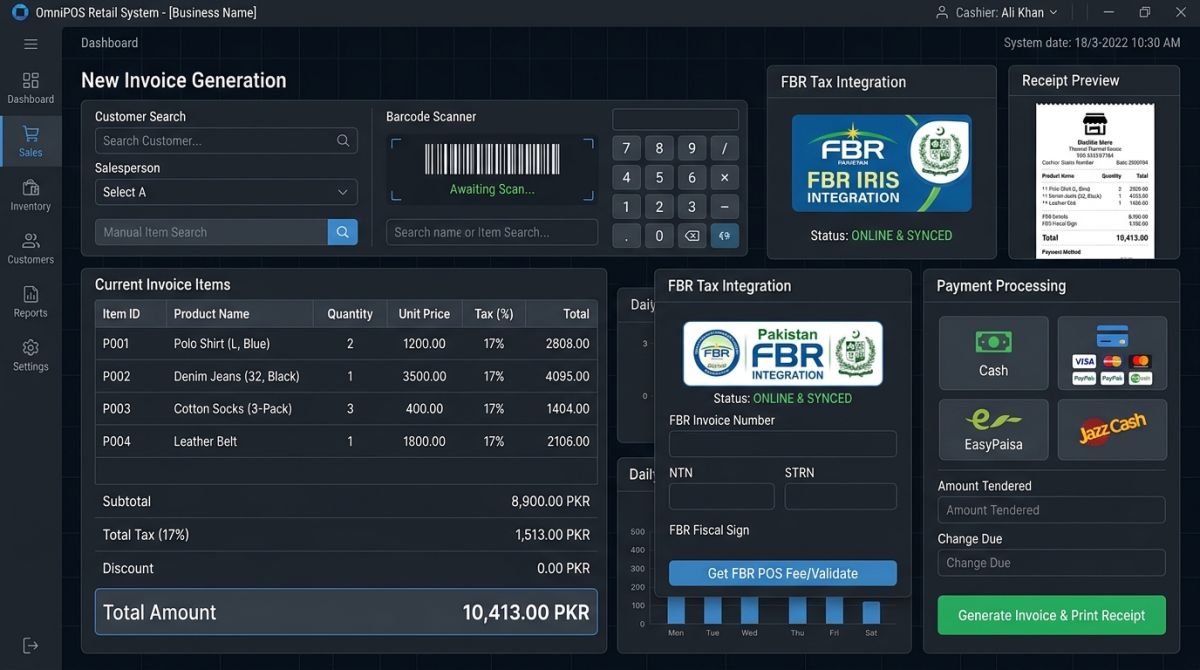
A developer's guide to connecting a PHP POS to FBR: choosing the right track, preparing product data, and handling failed invoices safely.
Before writing any integration code, settle one point that causes a lot of confusion: "FBR IRIS" usually refers to more than one thing. IRIS is FBR's taxpayer portal, where a business manages its registration and returns. Sending invoices to FBR in real time happens through a separate integration, and the one you need depends on the business.
Step 1: Identify which integration you need
Pakistani businesses commonly deal with two tracks, and building for the wrong one wastes weeks.
| POS integration | Digital invoicing | |
|---|---|---|
| Typical user | Tier-1 retailers and other notified sectors selling to consumers | Sales tax registered businesses issuing sales tax invoices, phased in by category |
| Legal basis | Section 3(9A) of the Sales Tax Act, 1990 | Chapter XIV of the Sales Tax Rules, 2006 |
| What happens | Each sale is reported to FBR; the receipt shows an FBR invoice number and QR code | Each invoice is sent in real time, validated, and returned with an FBR number and QR code |
Some businesses are affected by both, so confirm the position with the client's tax advisor before you start. Whether a retailer falls under the POS rules depends mainly on its Tier-1 status under section 2(43A) of the Act.
Step 2: Get your access and documentation
FBR has said that a person may not integrate a registered business's invoicing system without an FBR licence, and it named PRAL, Haball, EY and WebDNAworks as licensed integrators in 2025. Dawn reported that PRAL offers its integration services free of charge, so check the current list and terms before choosing a route.
Work only from the technical documentation issued to you through the official portal. API addresses, field names and error codes can change, and copies found on forums are often out of date. Use the test environment until every invoice type passes.
Step 3: Fix your product data first
Most failed submissions come from data rather than code. Before connecting anything, make sure your database can hold what FBR will ask for:
- HS code on every product. Vendors of FBR-integrated POS software report that an item with no HS code will not receive an FBR invoice number. Make the field mandatory in your product form.
- Unit of measure and tax rate per item. Never hard-code one tax rate. Rates differ by product and change through finance acts, so keep them in a table the business can update.
- Buyer details, such as NTN or CNIC, where the invoice type requires them.
- Outlet and terminal identity, so each branch and counter reports correctly.
Step 4: Design for failure
The internet will drop in the middle of a sale. The design decision that matters most is what happens next, so give each invoice a clear status instead of assuming a request worked.
| Status | Meaning | Next action |
|---|---|---|
| pending | Saved locally, not yet accepted | Send or retry |
| accepted | FBR returned an invoice number | Store the number and print it with the QR code |
| rejected | FBR refused it, for example because of bad data | Show the error; fix the data and resubmit |
| unknown | Timed out, so the result is unclear | Check before resending, to avoid duplicates |
The "unknown" status is the one most systems forget. A timeout does not prove that FBR failed to receive the invoice, and blindly resending can report one sale twice. The sketch below shows the overall shape. The URL and payload are placeholders, so take the real ones from your official documentation.
function submitInvoice(PDO $db, array $invoice, array $config): string {
    $ch = curl_init($config['endpoint']);          // from your FBR/PRAL documentation
    curl_setopt_array($ch, [
        CURLOPT_POST           => true,
        CURLOPT_POSTFIELDS     => json_encode($invoice['payload']),
        CURLOPT_HTTPHEADER     => [
            'Content-Type: application/json',
            'Authorization: Bearer ' . $config['token'],
        ],
        CURLOPT_RETURNTRANSFER => true,
        CURLOPT_TIMEOUT        => 15,
    ]);
    $body = curl_exec($ch);
    $code = curl_getinfo($ch, CURLINFO_HTTP_CODE);
    curl_close($ch);

    // No response: we do not know whether FBR received it
    $status = $body === false ? 'unknown' : ($code === 200 ? 'accepted' : 'rejected');

    $stmt = $db->prepare('UPDATE invoices SET status = ?, fbr_response = ? WHERE id = ?');
    $stmt->execute([$status, $body ?: null, $invoice['id']]);
    return $status;
}
A real implementation also has to read FBR's response body, because a successful HTTP status alone may not mean the invoice was accepted. Save the complete response against every invoice. It is your evidence if a figure is ever questioned.
Step 5: Handle the awkward cases
- Returns and corrections. Do not edit an accepted invoice. Issue a credit or debit note that references the original FBR number.
- Offline sales. Check the current rules for your track. Under digital invoicing, guides describe invoices being validated before they are issued, so a receipt printed offline may not count as a valid invoice.
- Secrets. Keep tokens outside the public web folder, never in a repository, and never in JavaScript.
- Duplicate clicks. Use your own unique invoice number and block a second submission of the same invoice at database level.
Step 6: Test before going live
Run every scenario in the test environment and keep the results: a normal sale, mixed tax rates, a discount, a return, a rejected invoice and a dropped connection. After launch, have someone scan a printed QR code to confirm that it verifies, and add a daily report of invoices stuck in pending or unknown. An integration that quietly stops sending is a real risk: a February 2026 report found that most Tier-1 branches listed in FBR's system were marked as disconnected.
Build it or buy it?
Building is reasonable if you already maintain a custom POS and have developers who will keep it updated as the rules change. If you only want compliant billing, a ready system is usually cheaper over time. ShahParzSoft's FBR IRIS compatible POS system covers billing, barcode scanning and inventory, and we can also discuss integrating your existing software.
Sources: Dawn: FBR notifies four firms · Baco Consultants: FBR digital invoicing · Profit: POS connection report. This article is general technical guidance, not tax advice. Rules change, so confirm requirements with FBR or your tax advisor.